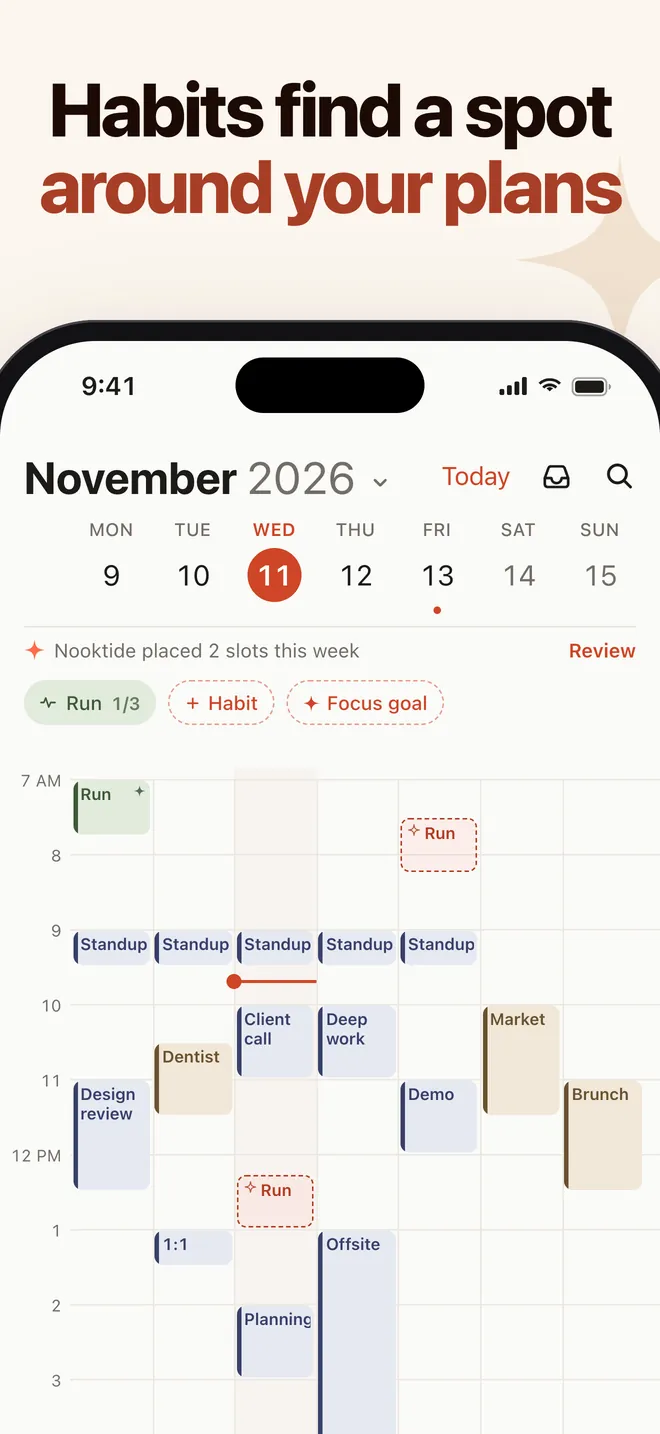
Habits find a spot around your plans
Build habits with a weekly goal and a streak. Nooktide places the sessions around your calendar. The free plan includes 1 habit; unlimited habits are in Pro.
AI calendar planner for iPhone
Nooktide is an iPhone calendar app that suggests two or three times, each with a reason, when you type or say what you need.
Free to download. Pro $3.99/mo or $24.99/yr (7-day free trial on yearly).
US App Store prices; they may vary by region. Requires iOS 17 or later. Available in English and Turkish.
New in 1.2: Later + Find a time, Shift my day and the weekly focus goal.
Build habits with a weekly goal and a streak. Nooktide places the sessions around your calendar. The free plan includes 1 habit; unlimited habits are in Pro.
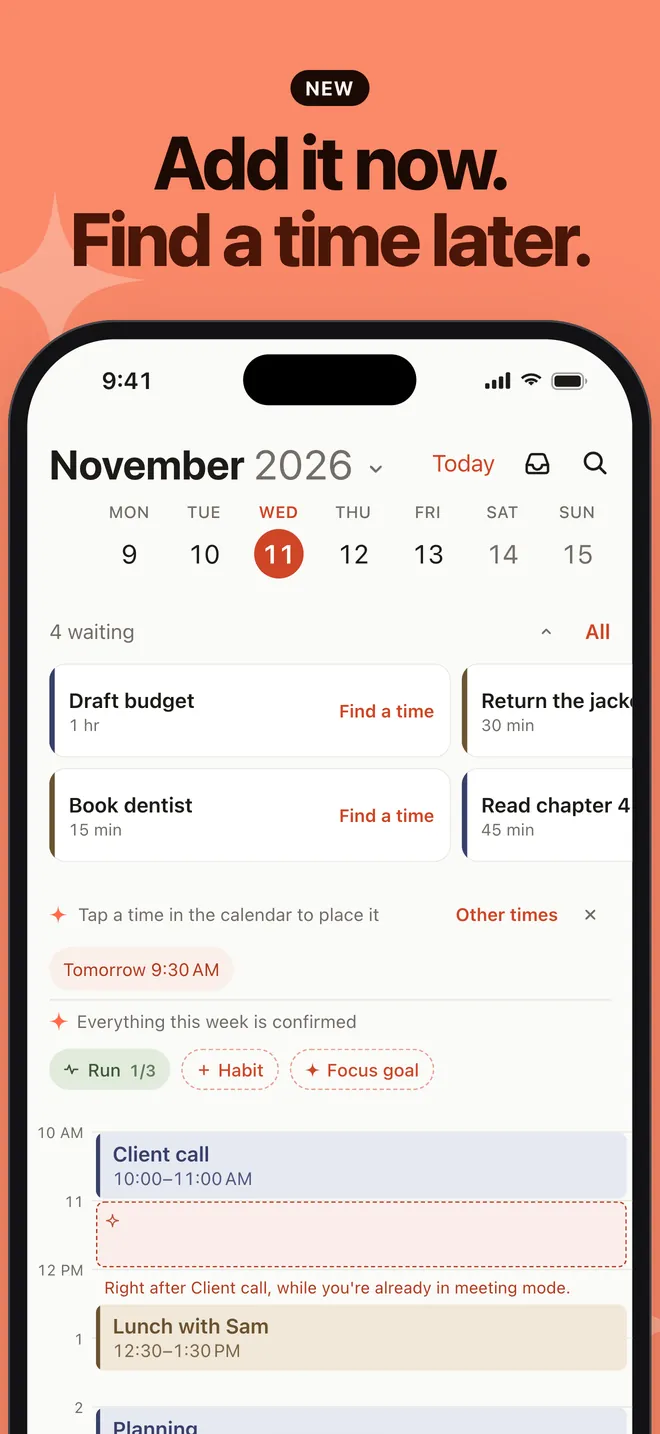
Write the task now, find its time later. Tap Keep for later, then Find a time to get 2-3 options with a reason each. On the free plan, placing a task from Later counts as one of your 3 plans a week.
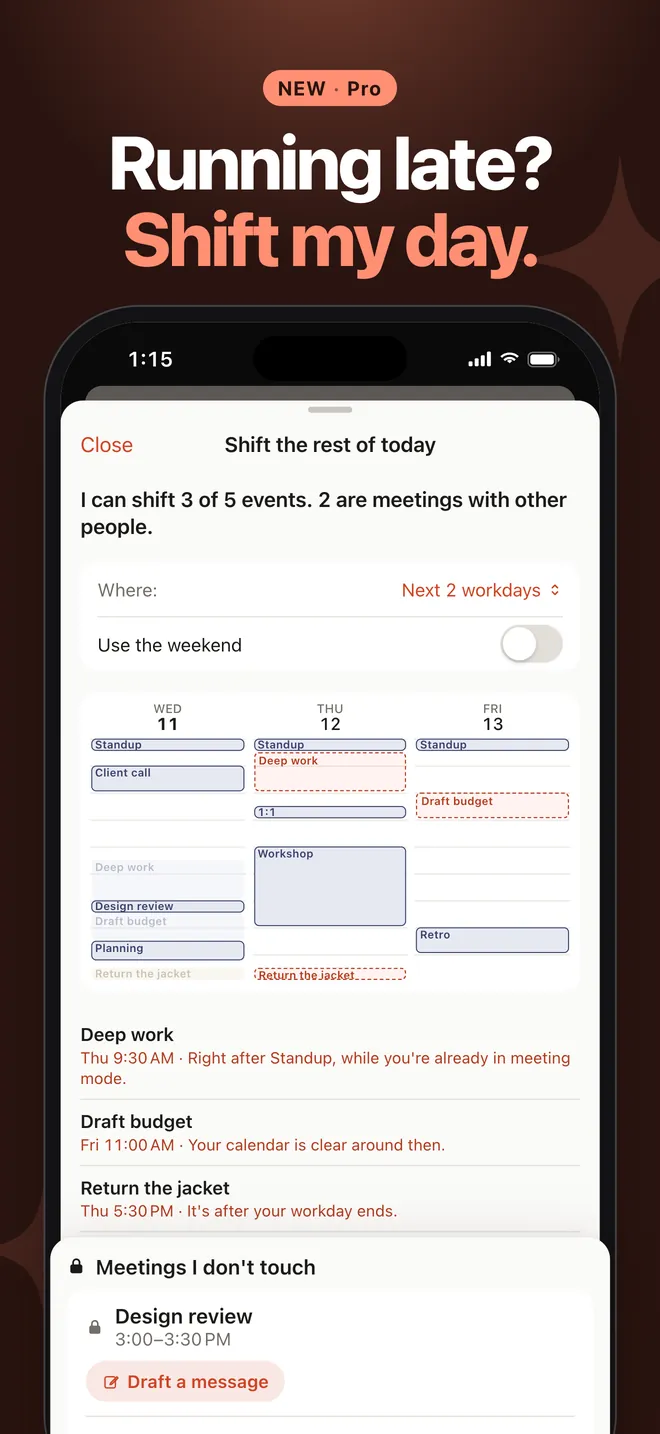
Running late? Shift the rest of today in one tap, with a preview first. Meetings with other people are never moved. Works with Siri too.
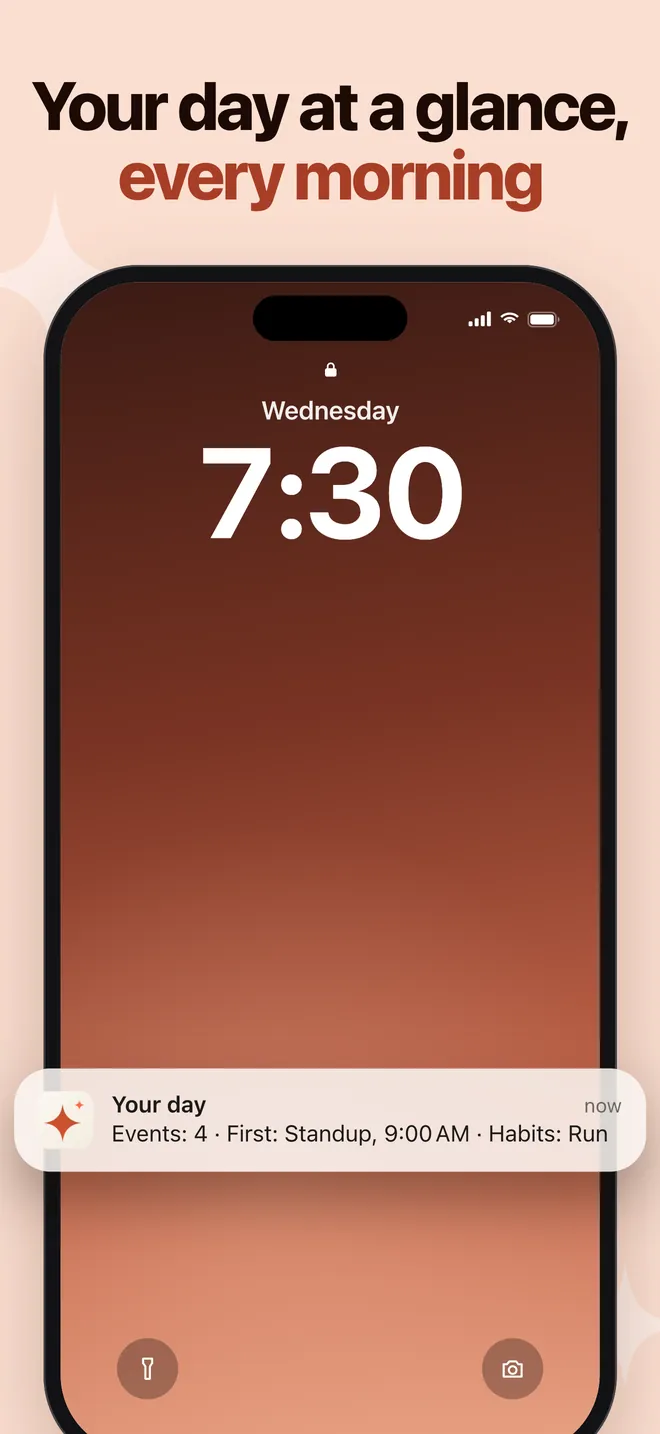
Start your day with a morning summary. When your day is overloaded, it adds a short note. Included in the free plan.
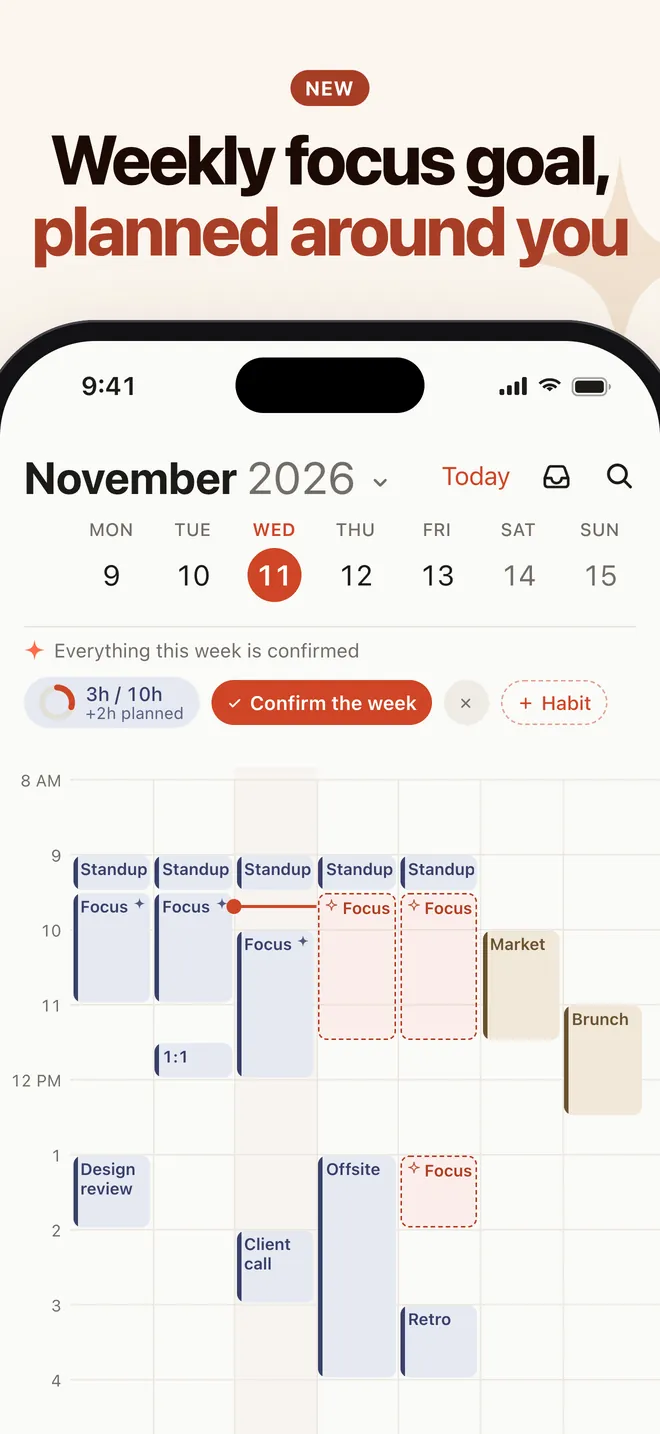
Choose your hours for the week, get focus blocks with a reason each, and see your progress next to your habits. It counts as your free habit.
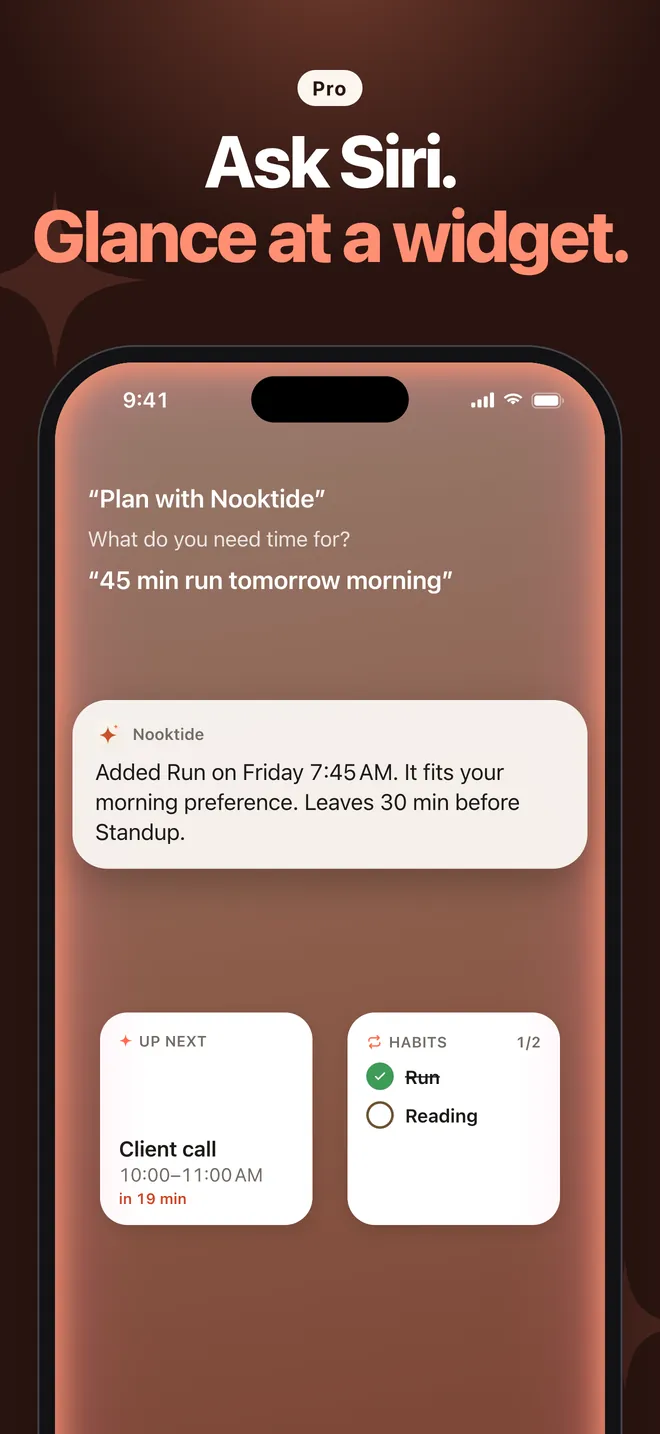
Ask Siri to plan, and glance at Home Screen and Lock Screen widgets. Pro also adds a Sunday weekly review and weekly plan notifications, and rescheduling for missed habit sessions.
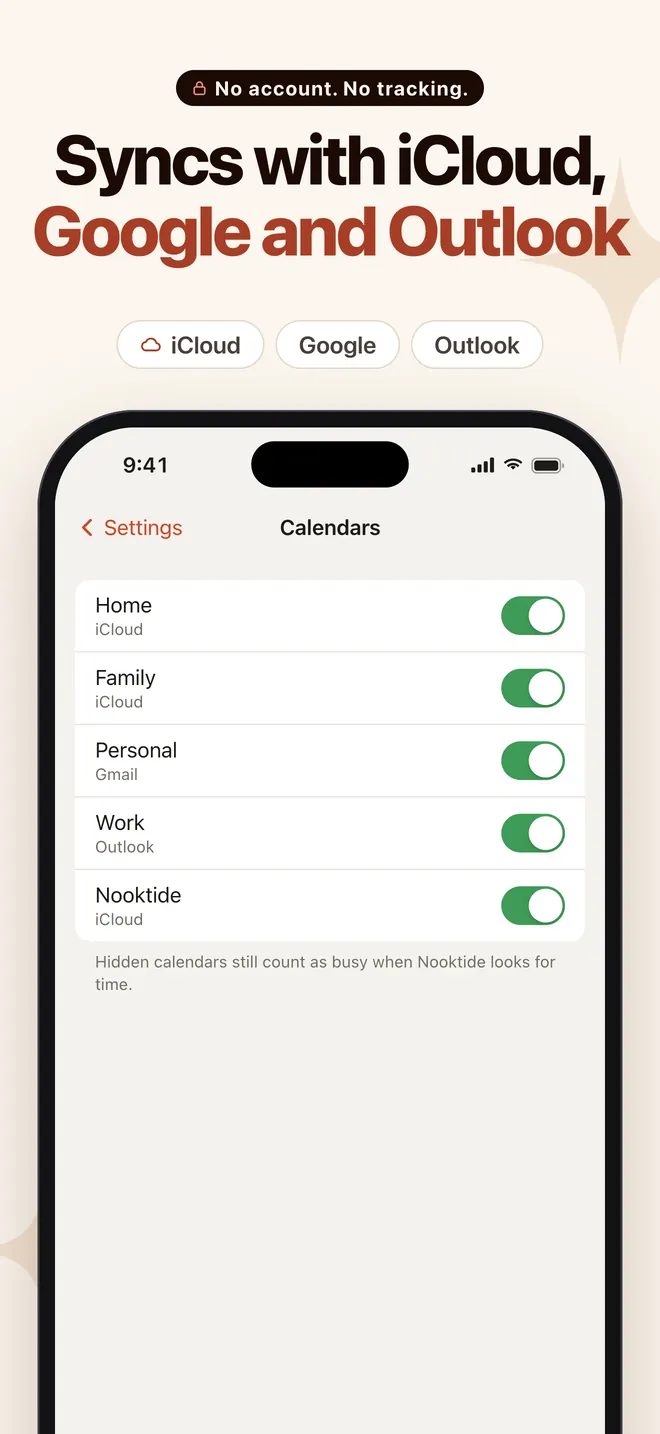
Two-way sync with iCloud, Google and Outlook calendars. Hide the calendars you don't want in your views. Undo now reverses your calendar changes too.
Free to download. Pro $3.99/mo or $24.99/yr (7-day free trial on yearly).
| Feature | Free | Pro |
|---|---|---|
| Type or say a request, get 2-3 times with a reason each | Included | Included |
| Later + Find a time | Included | Included |
| Morning summary | Included | Included |
| Two-way sync with iCloud, Google and Outlook | Included | Included |
| Weekly focus goal | Yes, counts as your free habit | Included |
| Confirmed plans a week | 3 a week | Unlimited plans |
| Habits with a weekly goal and a streak | 1 habit | Unlimited habits |
| Shift my day | Not included | Included |
| Editing by typing | Not included | Included |
| Home Screen and Lock Screen widgets | Not included | Included |
| Siri | Not included | Included |
| Rescheduling for missed habit sessions | Not included | Included |
| Sunday weekly review and weekly plan notifications | Not included | Included |
| Apple Intelligence on supported iPhones | Not included | Included |
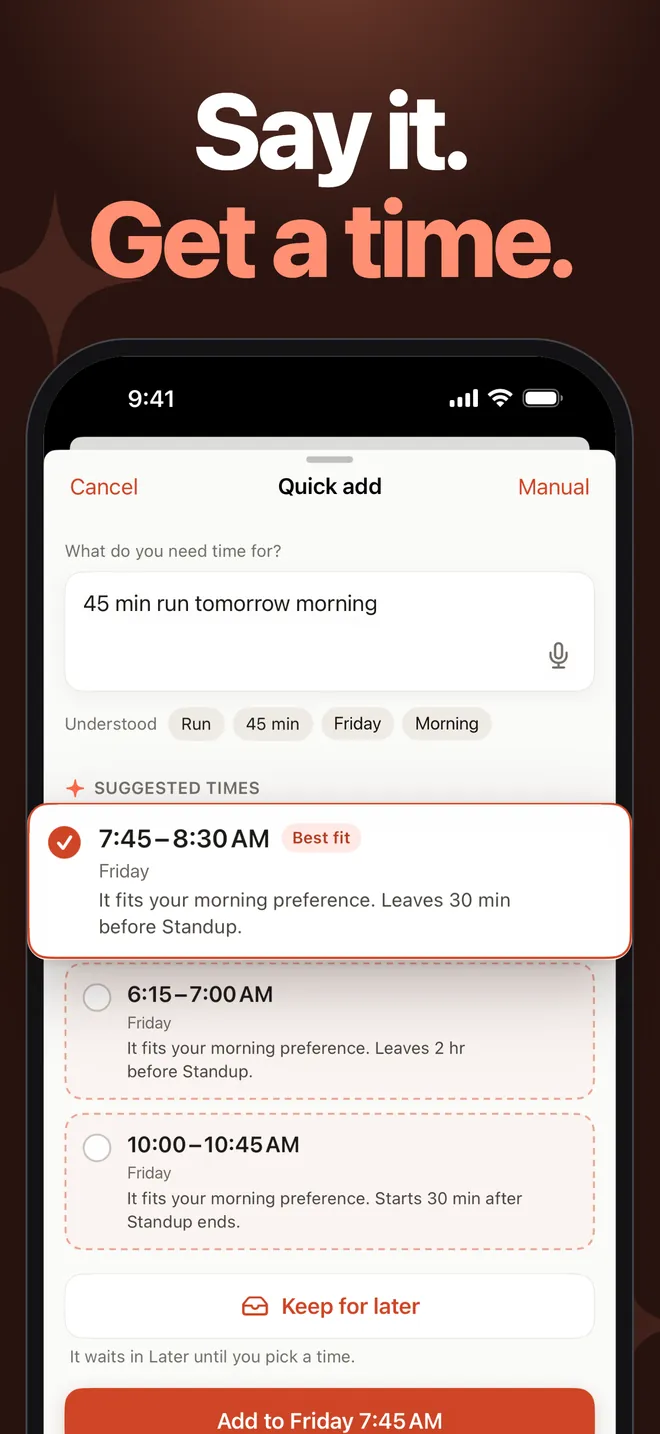
Nooktide is an iPhone calendar app that suggests two or three times, each with a reason, when you type or say what you need. For example, say "45 min run tomorrow morning" and pick the time that fits. It also builds habits around your plans and starts your day with a morning summary.
No. No account is needed, and Nooktide doesn't track you across other companies' apps and websites. For exactly what is collected, see the App Privacy section on its App Store page and the Privacy Policy.
Nooktide syncs both ways with iCloud, Google and Outlook calendars. You can hide the calendars you don't want to see in your views, and Undo now reverses your calendar changes too.
Write the task now and find its time later. Tap Keep for later, then Find a time to get 2-3 options with a reason each. On the free plan, placing a task from Later counts as one of your 3 plans a week.
No. Later items are kept on this device only.
No. Meetings with other people are never moved, and Nooktide doesn't let you edit, move or delete them. Shift my day shows a preview first, and meetings with other people stay where they are.
Free to download. Pro $3.99/mo or $24.99/yr (7-day free trial on yearly). These are US App Store prices and may vary by region.
The free plan includes 1 habit and 3 confirmed plans a week; placing a task from Later counts as one plan. Later, Find a time, the morning summary and calendar sync are included. The weekly focus goal counts as your free habit.
Pro adds Shift my day, unlimited habits, editing by typing, Siri, Home Screen and Lock Screen widgets, a Sunday weekly review and weekly plan notifications, rescheduling for missed habit sessions, and Apple Intelligence on supported iPhones. Subscriptions are monthly or yearly, with a 7-day free trial on yearly, and renew automatically unless cancelled at least 24 hours before the period ends.
Nooktide understands what you type or say in plain language. With Pro, on supported iPhones, language understanding can run on-device with Apple Intelligence. That needs a supported iPhone with the feature turned on.
Nooktide needs an iPhone with iOS 17 or later and is available in English and Turkish. It is designed for iPhone; there is no dedicated Android or Mac app.
Free to download. Pro $3.99/mo or $24.99/yr (7-day free trial on yearly).